

|
|
|
| |
|
|
||||
 |
| |
| FIB > Computing laboratory > Services > Wireless > DHCP configuration |
Català | Castellano | |
|
|
|
|
|
DHCP configurationLast update: 19/03/2003
In order to boot up dynamically with access to the network, you will need an adequately installed and configured BOOTP/DHCP client.
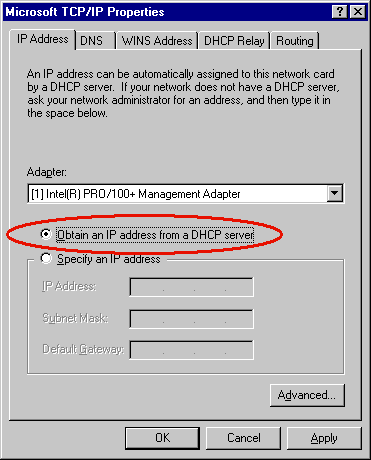
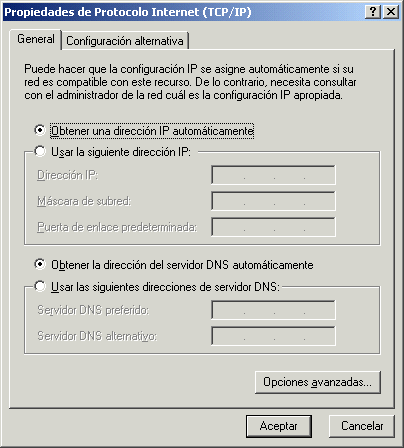
If you are running Linux (or any other UNIX type system), you may already have a BOOTP/DHCP client. If not, you can find them at the following sites: The following links may be useful if you are having trouble configuring your DHCP client: If you are running Windows 95/98/2K/NT/ME, all you need to do is specify in the TCP/IP properties that you want to obtain the configuration dynamically:
NOTE: The page may vary depending on the version of Windows that you are running.
|  |
|
||||||||
 |
| |
 |
Copyright © Facultat d'Informàtica de Barcelona - webmaster fib.upc.edu fib.upc.edu |
 Internet Software Consortium - DHCP