
|
|
|
WindowsLast modified: 13-06-2002
How do I start working?
The steps to take in order to work in Windows are as follows:
- Logging in, authentication, and choosing the work environment
The first thing to do is to log in with your user name and password, and choose a Windows work environment, as explained in the PC equipment section.
Logging on to the network
Once the desired work environment has been loaded, you have to log on to the network. This step is necessary in order to use the software and access the user area where files may be saved.
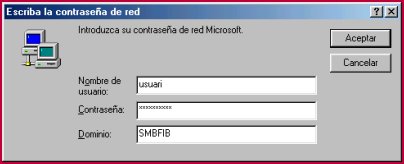
This process depends on the type of environment chosen, although a user name and password is required in all cases. For example, the following dialogue is shown in Windows 98:
Use of the environment
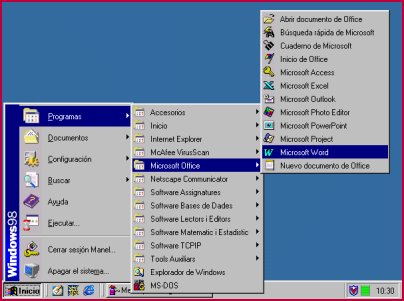
Once logged into the network, one can use the software installed in that environment (see Software installed)
|
Note: The files must be saved on the network (F:\ drive), since the local drive is erased every time the PC is rebooted (this drive can, however, be used for compiling, storing temporary files, etc.). |
- Logging out
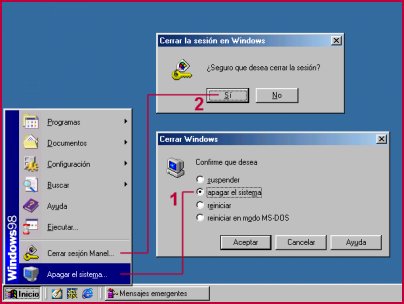
Once you have finished working with the environment, it is advisable to log out correctly, so as to ensure all files are closed, that the account does not block, etc. For example, in Windows 98 you must choose the appropriate option from the start menu ("Shutdown")
|  |
|






 fib.upc.edu